
CBN News - Breaking World News
The Christian Broadcasting Network (CBN)News & Magazines
4.6783.00 Reviews
- Version
- 2.9.5.288
- Installs
- 100.00K
- Age Rating
- Everyone 10+
Screenshots

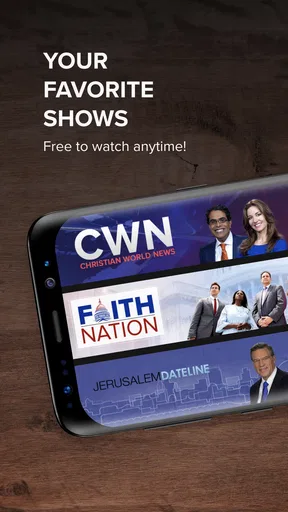


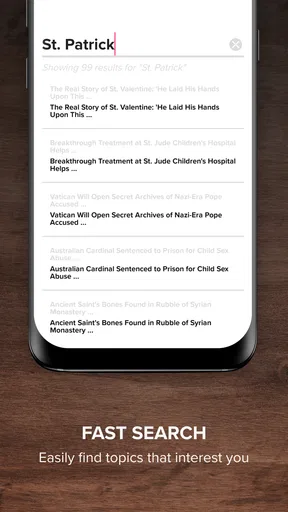
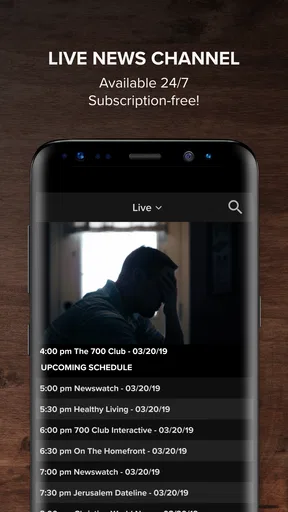

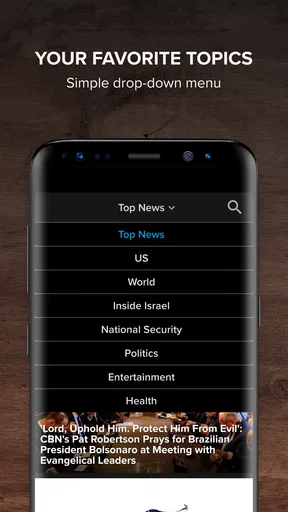
Our Review of CBN News - Breaking World News
 Analysis by Appyee
I approached CBN News - Breaking World News as a reader who wants a calmer way to follow current events, not as someone looking for an endless stream of notifications. Developed by The Christian Broadcasting Network (CBN), this free News & Magazines app presents reporting through a Christian perspective and is aimed at people who want news coverage that fits those values. After spending time with it, my view is that it works best as a focused secondary news source rather than the only app on your phone.
The central appeal is easy to understand. The app is built around news from a positive, Christian point of view, so its selection and tone will feel more comfortable to readers who prefer that editorial approach. That also means it is not trying to be a completely neutral replacement for every general-purpose news service. I would recommend it to someone who wants CBN’s particular perspective close at hand, while encouraging readers to compare important stories with other reputable sources before making decisions based on them.
Getting past the first points of friction
I find it useful to treat early hiccups as a chance to check the basics, not as a verdict on the whole app. A steady connection, a few different articles, and a simple reopen test can show whether the friction is temporary or part of your normal setup. Once that’s settled, the more important question is whether its focused Christian perspective earns a place in your everyday news mix.
What I would check before judging the app
The first useful step is to treat setup as a simple reading test rather than immediately expecting a perfect news routine. Install the app on a compatible device, open it while connected to a stable network, and give the main screen enough time to populate. News apps can look empty or incomplete when the connection is slow, and that can be mistaken for a content problem. CBN News supports Android 7.0 and later, which makes it accessible on many older phones, although an older device may still feel less responsive than a newer one.
I also suggest opening several different stories instead of relying on the first headline you see. This gives you a better sense of how the app handles the transition from a list to an article and whether the text is comfortable on your screen. If a page appears stuck, I would first return to the previous screen and try another article. That quick comparison helps separate a single loading hiccup from a broader issue.
Because this is a news reader, the quality of the experience depends heavily on when and how you use it. A weak connection during a commute can make a perfectly functional app seem unreliable. My practical routine would be to open it before leaving home, while the connection is dependable, and then use it for short reading sessions rather than expecting every page to appear instantly in a poor-signal area.
The app is free, so the decision is less about subscription cost and more about whether its editorial viewpoint suits you. Its age classification is Everyone 10+, a useful reminder that it is intended for a broad audience but still deals with real-world news. Parents who are considering it for younger readers should still look at stories together, since current events can be serious even when an app is broadly accessible.
How to recover when a story does not open
If tapping a headline produces a blank page or a stalled screen, I would avoid repeatedly pressing the same control. Go back to the article list, wait briefly, and try a different item. If other stories open normally, the problem is probably limited to that particular loading attempt. Closing and reopening the app is another sensible recovery step, especially if it has been left running for a long time.
When several pages fail, I would check the basics in this order: confirm that other apps can reach the internet, switch between available connections if possible, and restart the app. A device restart is reasonable if the whole phone has become sluggish. I would not immediately uninstall the app, because that removes a simple way to determine whether the issue is temporary network congestion or a deeper compatibility problem.
There is also a useful distinction between an article that loads slowly and one that never becomes readable. Slow loading points toward the connection or the service at that moment; repeated failure across unrelated stories points toward the app state, the device, or the network environment. Making that distinction saves time and prevents unnecessary changes to settings that were not responsible.
If the app seems to have lost its place, I would return to the main news screen and begin again instead of trying to force a broken navigation path. This is a small habit, but it makes mobile reading less frustrating. News apps are often used in short gaps during the day, so a dependable recovery routine matters almost as much as the headline selection.
A practical reading workflow
My preferred workflow is to use the app in three passes. First, I scan the available headlines without opening everything. Second, I choose the stories that matter to me and read them fully. Third, I pause before sharing or acting on a significant claim and compare it with another news source. That final step is especially important here because the Christian editorial perspective is part of the app’s identity, not a minor detail hidden behind a generic news feed.
This approach also helps avoid a common mistake: treating a positive tone as proof that every story is uncomplicated. A story can be presented in a reassuring way while still needing context, dates, locations, and confirmation from elsewhere. I appreciate a less abrasive reading experience, but I would not confuse that with a reason to skip verification.
For everyday use, I would keep the app for deliberate check-ins rather than leaving it open continuously. For example, I might read it with breakfast, choose one or two articles during a lunch break, and then stop. That keeps the app useful without turning every spare moment into another round of headline checking. It is particularly suitable for readers who want a values-based news habit rather than a high-volume breaking-news dashboard.
Another helpful habit is to read beyond the headline whenever a topic affects your work, finances, health, or community. Headlines are useful for deciding what deserves attention, but they are not a substitute for the article itself. In my experience, the app makes more sense when used as a starting point for informed reading instead of a rapid-fire stream designed to keep you scrolling.
When the problem may be outside the app
Not every interruption is caused by CBN News. A phone with very little free storage, an outdated system component, aggressive battery management, or a crowded network can affect any content app. If other apps are also slow, fail to load, or close unexpectedly, I would investigate the device and connection before blaming this one. That simple comparison is more useful than assuming the news service is at fault.
Older hardware deserves particular attention. The minimum operating-system requirement is modest, but meeting it does not guarantee that every older phone will feel equally smooth. If scrolling is delayed across several apps, the device may be the limiting factor. Clearing space, closing unused apps, and restarting the phone are sensible general checks. I would avoid changing advanced settings unless I understood exactly what they controlled.
Network filtering can create confusing symptoms too. A workplace, school, hotel, or public Wi-Fi connection may restrict parts of online content. If the app behaves differently on another trusted connection, that comparison is more informative than reinstalling it several times. I would also be cautious about using an unstable connection while moving between locations, since switching networks can interrupt a page at the moment it is loading.
When troubleshooting, I prefer one change at a time. Test the app, change the connection, test again, then restart if necessary. Changing several things together makes it impossible to know what helped. This is especially worthwhile with a free app that you may use casually; a few orderly checks are faster than repeatedly starting from scratch.
Who will enjoy it, and who should choose another news tool?
The strongest audience is someone who actively wants news shaped by a Christian perspective and values a more positive presentation. If that describes you, the app gives you a direct way to keep this kind of coverage within easy reach. It is also a reasonable choice for readers who prefer opening a dedicated app for a focused update instead of navigating a broad portal filled with unrelated sections.
The developer’s established presence and the app’s user response suggest that it has found a real audience. It carries an average rating of 4.6 from around 2.4 thousand ratings, and it has passed 100 thousand installs. Those figures do not prove that it will suit every reader, but they do indicate that the app is more than an experiment with no established use. I would read those signals as encouragement to try it, not as a reason to ignore your own editorial preferences.
I would skip it if you want a single, fully comprehensive source covering every viewpoint with the same editorial framing. A large general news aggregator will usually be better for comparing publishers, tracking a fast-moving story across multiple outlets, or building a broad international reading list. Someone who wants market data, specialist reporting, or highly customizable feeds may also find a dedicated service more appropriate.
I would also hesitate to recommend it as the only news app for a household with very different political or religious preferences. The perspective that makes it valuable to one reader may feel limiting to another. In that situation, keeping CBN News alongside a publication with a different editorial approach is more practical than expecting one app to satisfy everyone.
Choosing it alongside other news sources
For a useful comparison, I would think of CBN News as a publication-led reader, not as a neutral window onto every outlet. A news aggregator is often better when I want to scan headlines from many publishers side by side. A single newspaper app may be a better fit when I want depth in a particular region or subject. CBN’s distinct advantage is the point of view it brings; its corresponding limitation is that readers seeking a wide range of editorial voices will need another source too.
That distinction can shape a practical two-app routine without making the habit complicated. I might use CBN News for stories that interest me within its Christian framing, then consult a broad outlet when I need to understand how other publications are covering the same event. I would not try to compare every headline every day. I would reserve that extra step for consequential or disputed stories, where differing emphasis can change what a reader takes away.
There is no need to treat the app’s positive approach as either a guarantee of accuracy or a flaw in itself. It is an editorial lens, and the reader’s job is to recognize where a lens helps and where it may leave questions. When a story involves a decision I need to make, I look for the underlying details and seek corroboration, rather than allowing a headline’s tone to settle the matter for me.
Making a brief news check useful
A realistic routine might begin while I have breakfast and a few quiet minutes. I would scan the headlines, open the one story most relevant to the day, and read it before switching to other tasks. If something catches my attention, I can note the subject mentally and look for another account later, instead of letting one mobile session turn into an hour of checking updates. This makes a focused source useful without confusing convenience with completeness.
At work or school, the app is better suited to a planned break than to constant background monitoring. A quick visit between tasks can help me stay aware, but an important story deserves more attention than a rushed glance. If the subject is developing rapidly, I would choose a source designed for broad, continuous updates or consult more than one publication. CBN News is more compelling when I approach it as a readable check-in rather than a live control room.
For families, I would use the Everyone 10+ age guidance as a starting point, not as a promise that every article will suit every child. News can include distressing events, and a parent may want to read first, discuss a story together, or choose a different source for a younger reader. That is a matter of judgment about the specific story, not a reason to assume that the app’s general audience label removes the need for context.
The current release is version 2.9.5.288. For a reader deciding whether to install it, the version number matters less than the basic experience: can the app open reliably on your phone, can you read comfortably, and does the viewpoint match what you want? If those answers are yes, the modest, focused design is an advantage. If you need extensive personalization or a large set of tools, its simplicity may feel restrictive.
My verdict after using it as part of a normal day
I see CBN News - Breaking World News as a useful companion for intentional news reading. Its strongest quality is not that it tries to replace every other source, but that it gives a particular audience a clear place to find current coverage presented through Christian values. I like that clarity. It makes the app easier to recommend to the right person and easier to reject if that perspective is not what you want.
The main trade-off is equally clear: focus can become narrowness. I would use it for regular updates and thoughtful reading, then consult other reliable outlets when a story is important, disputed, or personally consequential. That is not a criticism unique to this app; it is simply the sensible way to use any publication with a defined editorial identity.
My final recommendation is to install it if you want a free Christian news app, have a compatible Android device, and prefer a calmer, values-oriented reading routine. Start with a few stories, test it on both a strong and ordinary connection, and notice whether the tone and coverage feel useful rather than merely familiar. The best reason to keep it is editorial fit, not the promise of being your only source of truth.
Verdict
Strengths of CBN News - Breaking World News
- Clear focus on Christian perspectives and faith-based reporting.
- Live news coverage helps users follow developing stories in real time.
- Video content adds context beyond short written headlines.
- Push alerts can keep readers informed about major breaking events.
- Simple layout makes browsing categories and stories straightforward.
Limitations of CBN News - Breaking World News
- Coverage may reflect a distinctly conservative editorial viewpoint.
- Some articles may focus heavily on U.S. politics and culture-war topics.
- Frequent notifications can feel excessive unless carefully customized.
- Video and live-stream features may use significant mobile data.
- Availability of certain content or features may vary by region.
Similar Picks in This Category
View All
Google News - Daily Headlines
Google LLC4.0

X
X Corp.4.8

Flipboard:Your Social Magazine
Flipboard3.4

Opera News: breaking & local
Opera4.5

Hindi News by Dainik Bhaskar
Dainik Bhaskar Group4.0

Way2News Daily News App
Way2News ( Formerly Way2SMS )4.6
Frequently Asked Questions
What is CBN News - Breaking World News?
CBN News - Breaking World News is a news application from CBN that provides access to breaking stories, international headlines, U.S. news, politics, faith-related coverage, culture, and selected video reports. After exploring the app, users can expect a straightforward way to browse current articles and watch news content from a Christian perspective. Coverage and available sections may vary by region and app version.
Is CBN News free to download and use?
The CBN News app is generally free to download, and much of its news content can typically be accessed without a subscription. However, users should check the current listing for their Android or iOS device because availability, advertising, optional features, and access to certain media content can change. Mobile data charges may also apply when streaming videos or browsing outside Wi-Fi.
What type of news and content does the app provide?
The application focuses on breaking world news and offers a mixture of written reports, developing stories, opinion-oriented coverage, videos, and updates connected to faith, Christian communities, Israel, politics, culture, and international events. It is best suited to readers who appreciate CBN’s editorial viewpoint. For a complete understanding of major events, comparing its reporting with other reputable sources is recommended.
Does CBN News send breaking-news notifications?
CBN News may use push notifications to alert users about breaking stories or important updates, depending on the device settings and the permissions granted during installation. Notifications can be useful for receiving headlines quickly, but frequent alerts may be distracting. After installing the app, users can usually manage notification permissions through the app or their phone’s system settings if they prefer fewer interruptions.
Does the app require an account, and is it safe to use?
An account may not be necessary for basic browsing, although some features or personalized services could request additional information depending on the current version. As with any news app, users should review the permissions requested, privacy policy, advertising practices, and data-safety information shown in the official store listing. Downloading from Google Play or Apple’s App Store is the safest option.
